
There are a few different ways to leave feedback or request updates for the handbook that agents use while interacting with patrons.
Option One:
To leave feedback or request updates for a specific policy, click the Submit Ticket option next to the listed policy.
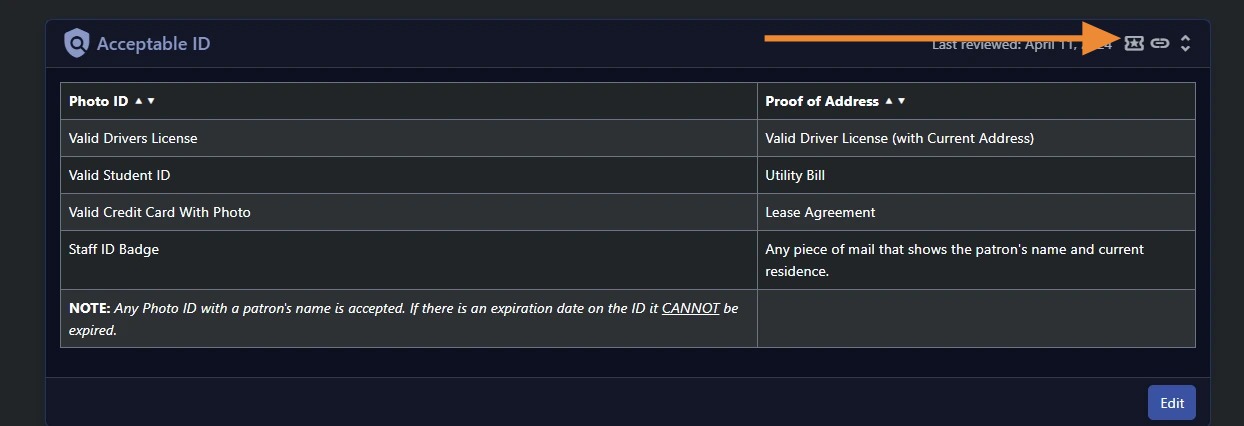
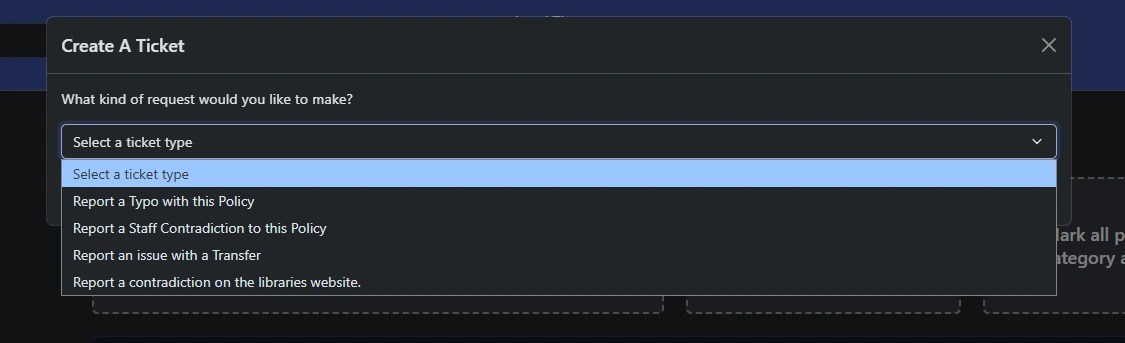
After selecting Submit Ticket, choose the appropriate ticket type.
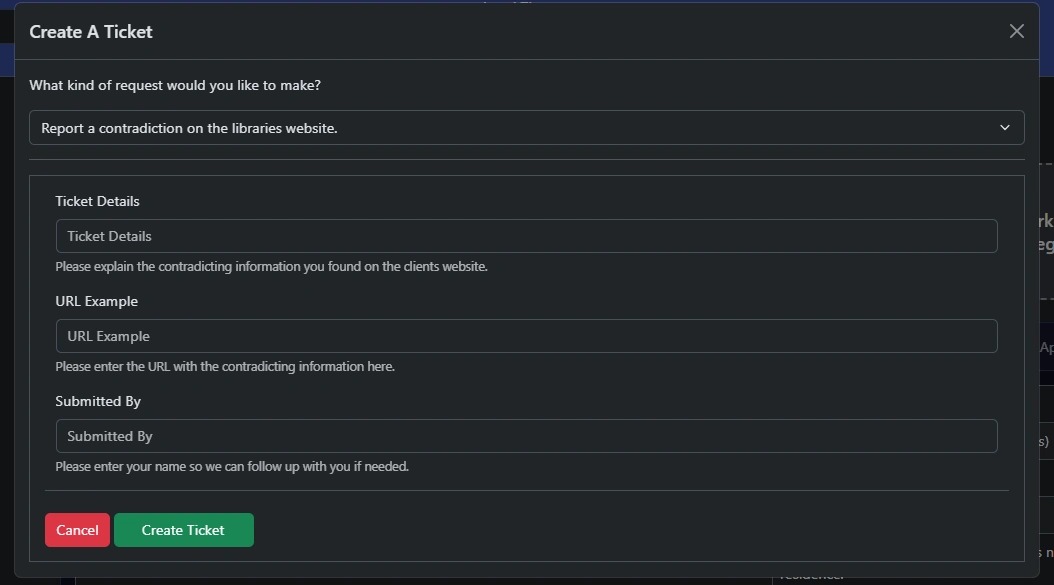
Then, follow the prompts to enter your requested updates and select Create Ticket to submit.
Option Two:
You may also open a ticket by emailing our support team directly. (Support@uniquelibrary.com)
When submitting via email, you may include screenshots, additional details, or request a meeting with our team to discuss the updates.